CRM Dance Legal
SMS Consent and Opt-In Process
Last updated: July 9, 2026
1. Purpose Of This Page
This page documents how consent to receive SMS messages is collected in the CRM Dance SMS Messaging Program operated by Management Systems Solutions, Inc., doing business as CRM Dance. Consent is collected inside the CRM Dance application, which requires a login. Because the opt-in experience is not on a public web page, this page hosts screenshots of the actual consent flows for carrier and messaging-compliance verification.
2. Who Sends Messages
CRM Dance is dance studio management software. Dance studios use it to send their clients lesson and appointment reminders, schedule changes, payment receipts, and two-way replies from studio staff, plus account notifications to studio owners and administrators. Messages are sent only to recipients who opted in through one of the paths documented below.
3. Opt-In Path 1: In-Person Verbal Consent Recorded By Studio Staff
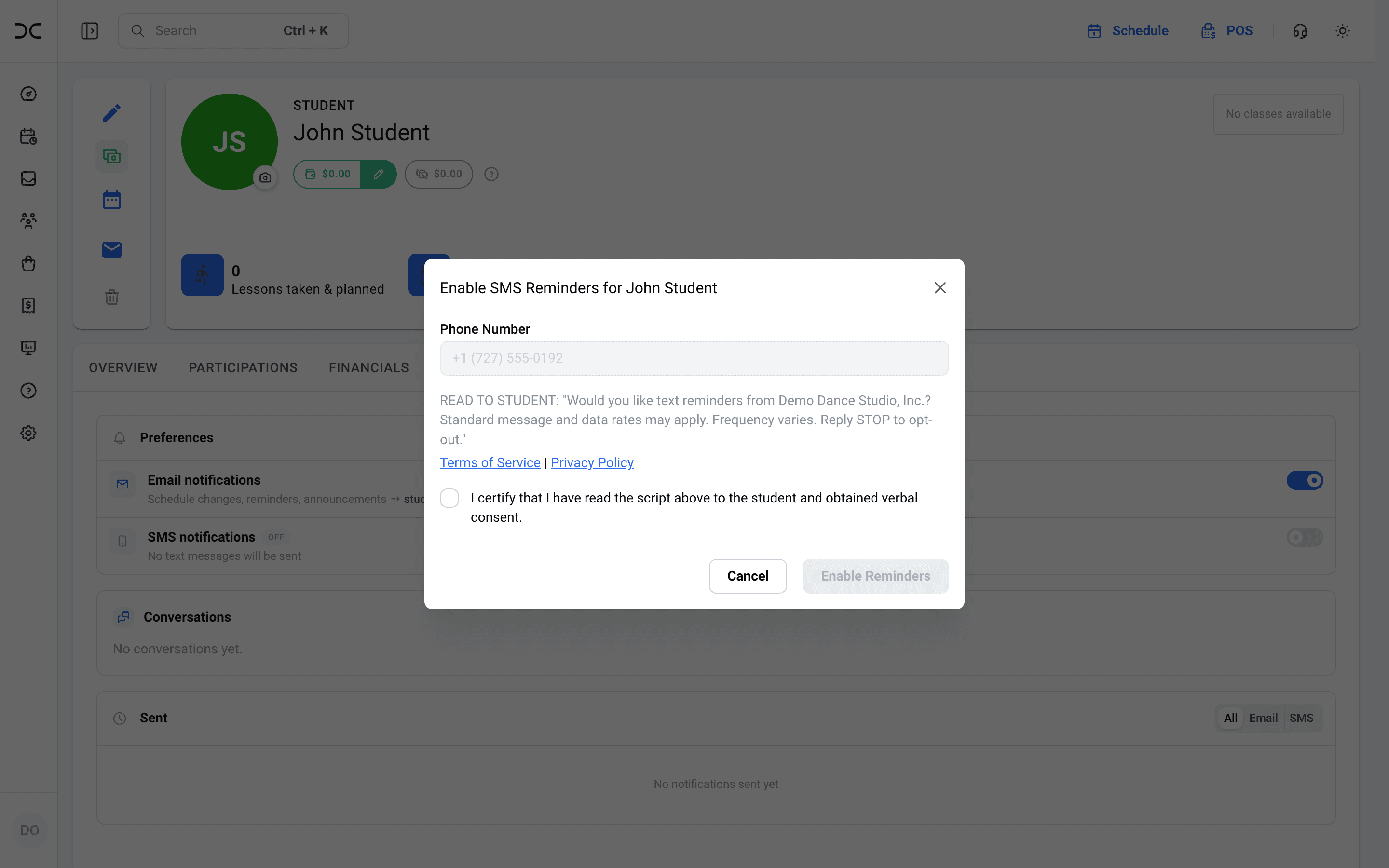
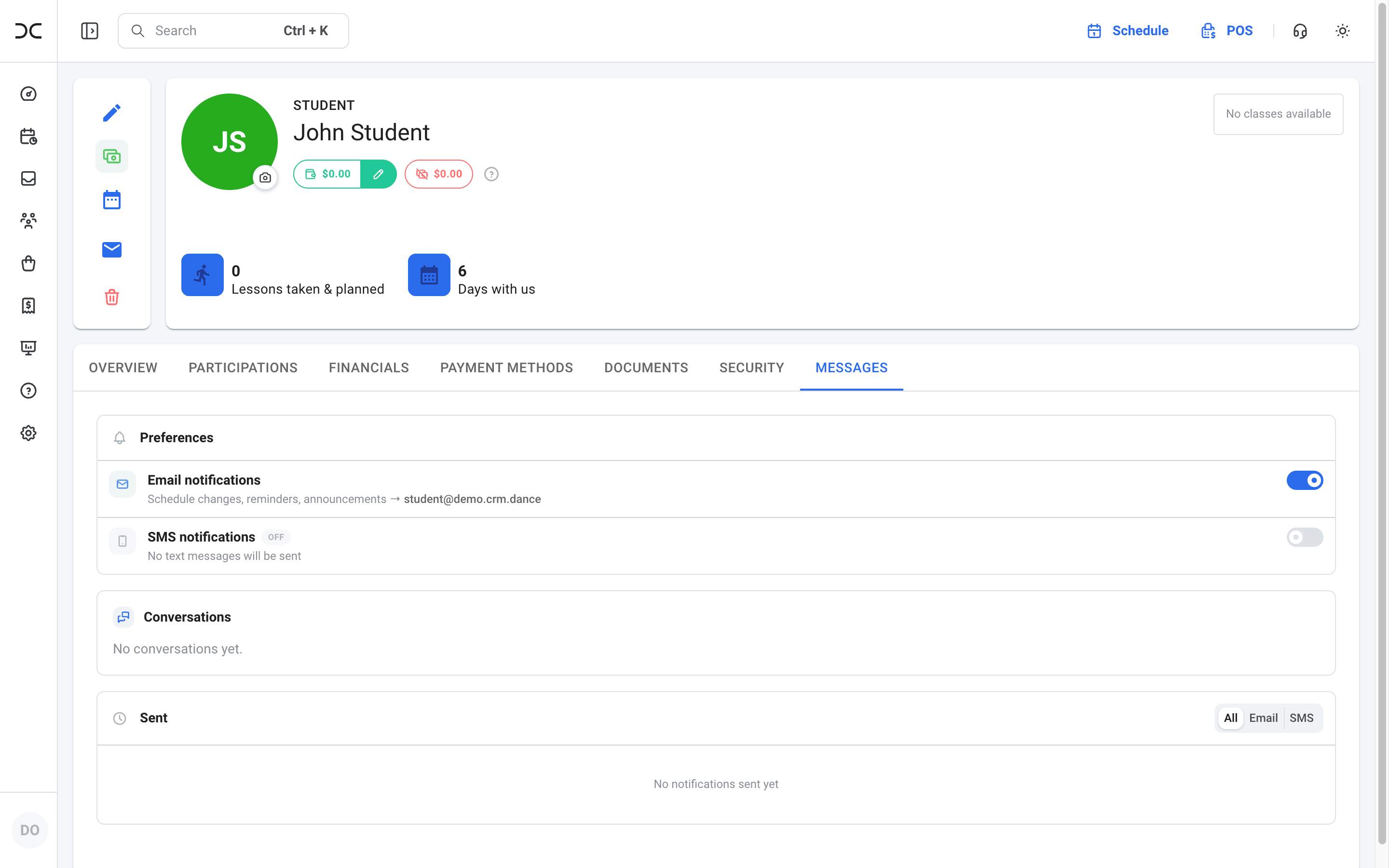
Dance studio clients typically opt in at the studio front desk. A staff member opens the client's profile, goes to the Messages tab, and turns on SMS notifications. Before SMS can be enabled, CRM Dance requires the staff member to read a standardized consent script aloud to the client:
READ TO STUDENT: "Would you like text reminders from [Studio Name]? Standard message and data rates may apply. Frequency varies. Reply STOP to opt-out."
The dialog displays the client's phone number, links to the SMS Terms and Conditions and the Privacy Policy, and requires the staff member to affirmatively certify the verbal consent by checking:
“I certify that I have read the script above to the student and obtained verbal consent.”
The Enable Reminders button stays disabled until the certification box is checked. No SMS is sent without this recorded consent.
4. Opt-In Path 2: Self-Serve In The Client's Own Account
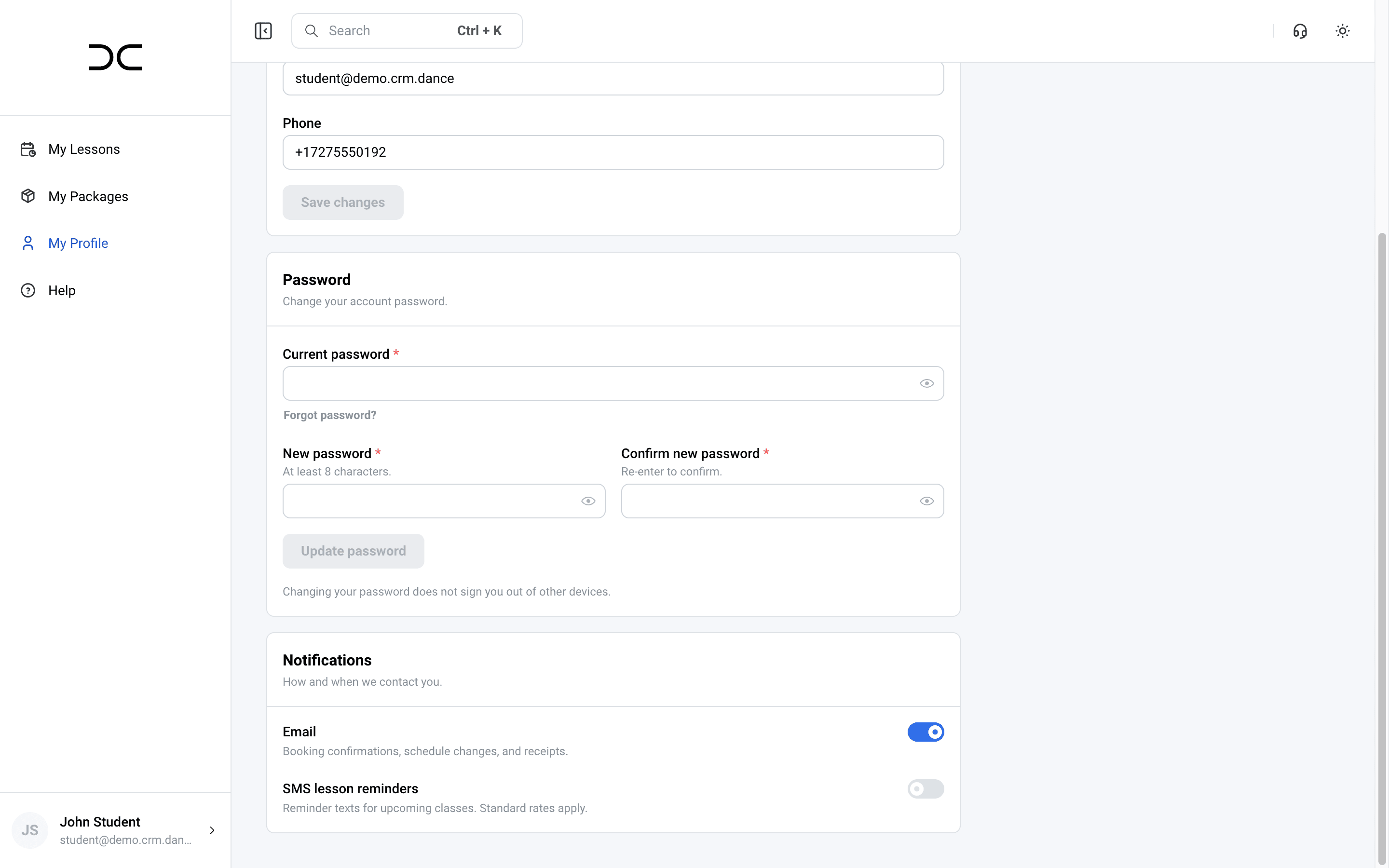
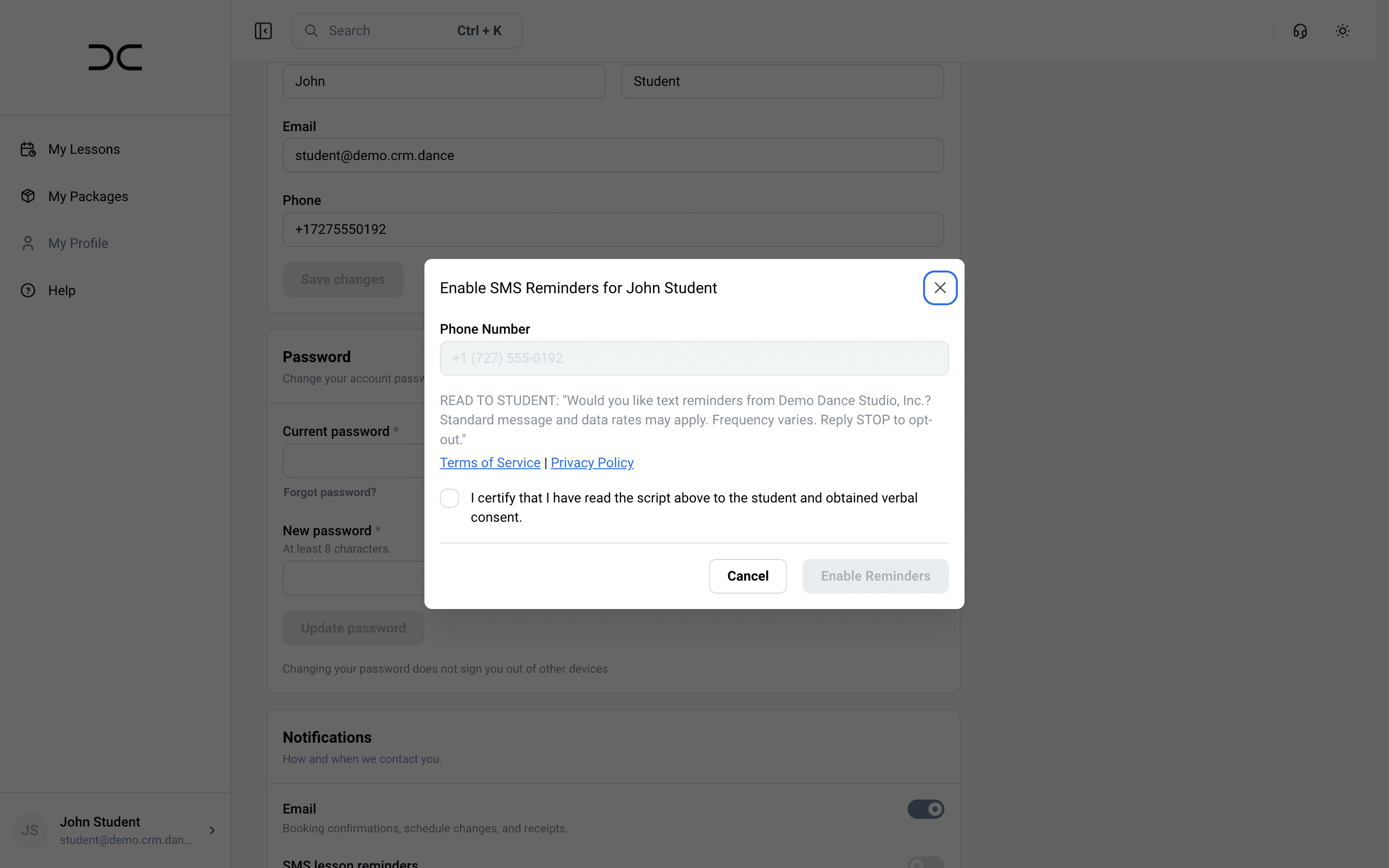
Clients with a CRM Dance login can also opt in themselves. In My Profile → Notifications, the client turns on the SMS lesson reminders toggle. The same consent dialog appears with the full disclosure text, the links to the SMS Terms and Privacy Policy, and an affirmative consent checkbox that must be checked before SMS is enabled.
5. Disclosures Presented At Opt-In
Every opt-in path presents the following before SMS can be enabled:
- The purpose of the messages (text reminders from the studio)
- “Standard message and data rates may apply”
- “Frequency varies”
- “Reply STOP to opt-out”
- Links to the SMS Terms and Conditions and Privacy Policy
Consent to receive SMS messages is not a condition of any purchase. Phone numbers and consent status are not shared with third parties for their own marketing.
6. Opt-Out And Help
Recipients can opt out at any time by replying STOP (or CANCEL, END, QUIT, UNSUBSCRIBE) to any message. Opt-outs are honored automatically at the messaging provider level. Replying HELP returns help information; recipients may also contact contact@crm.dance.